


CmsGram (JOOMPAID)— Premium CMS Directory
Download details
Product Variations Table for WooCommerce
wordpress
Product Information
Created
2025-08-24
Updated:
2025-08-24
Version
1.3.3
Author
FmeAddons

Only VIP and logged in users can download this file. Become a VIP Member Now.
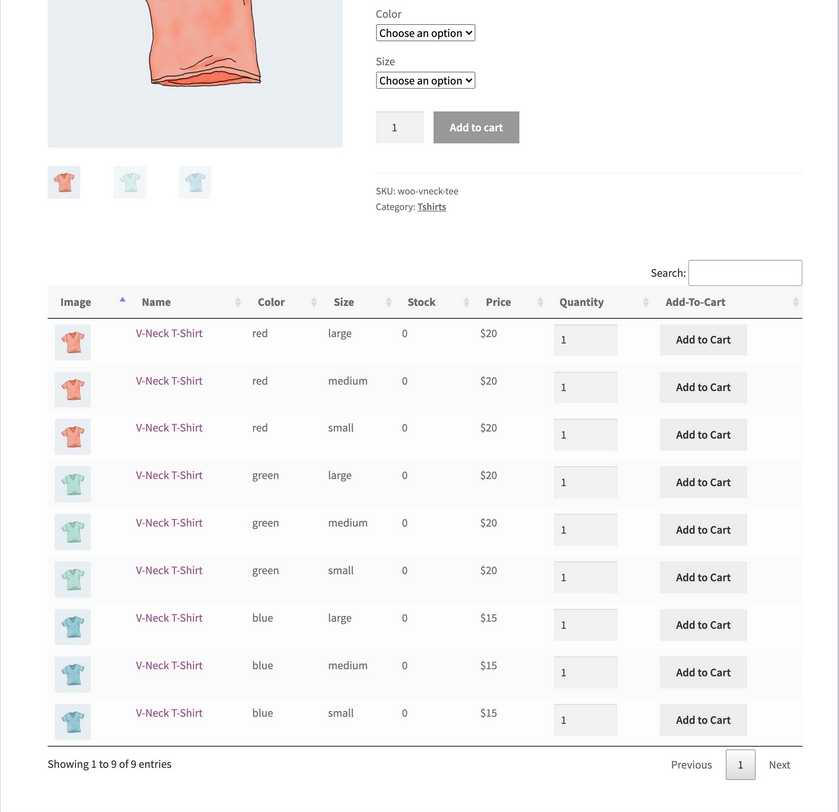
Display product variations in a table or list view to help customers filter, sort, and add products to their cart.
The WooCommerce product variation table plugin allows you to replace the default variation selection dropdown and display your product variations in a convenient and customizable table or list layout. This offers more visibility and enables customers to quickly browse through the available options and purchase the desired products.
Select the columns you want to display, customize color, and number of variations. Display it to everyone, or select user roles.
The WooCommerce variation table plugin is a perfect addition to your B2B store as it allows bulk add-to-cart and easy navigation for wholesale dealers.
Key Features
- Displays product variations in table/list view
- Customize product variation table columns to include specific information (name, short description, image, quantity, SKU, prices, add to cart, and more)
- Search bar to find specific variations
- Displays Print, PDF, CSV, Excel, and Copy buttons
- Enable table/list view for specific products, categories, and user roles
- Enable bulk Add-to-Cart Button
- Select a dark or light theme for the product list design
- Customize text, background, and button colors for both table and list view
- Choose from pre-defined positions to show variations table or use a shortcode
- Enable pagination and limit the number of product variations to display per page
- Display the “Added to Cart” message in a popup
.