


CmsGram (JOOMPAID)— Premium CMS Directory
 Quantity Buttons for WooCommerce
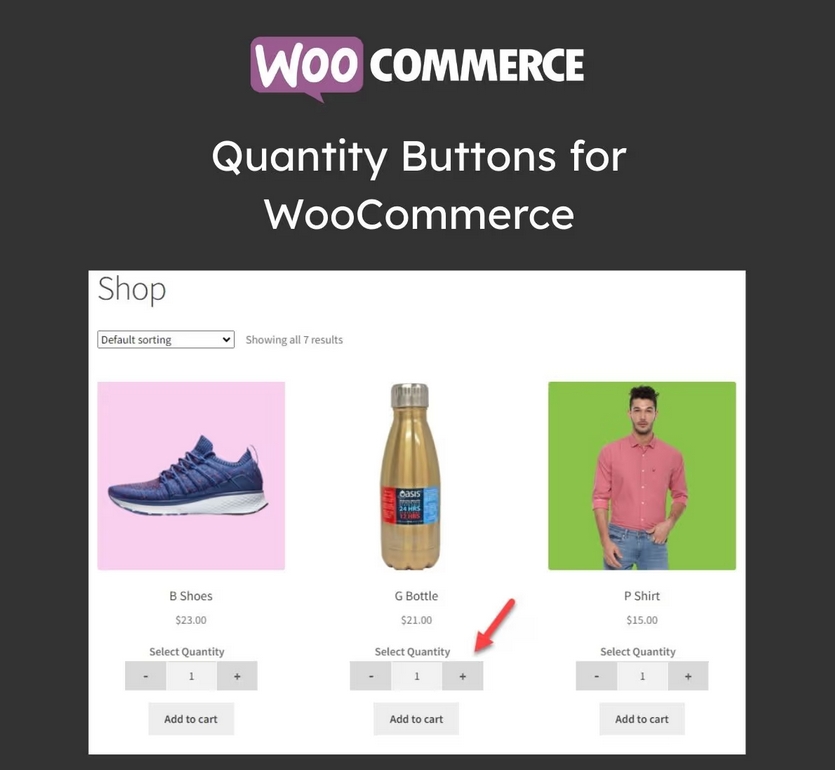

Add Customizable Quantity Increment Buttons to your Store. Set Minimum/Maximum quantity limits, define steps, and add a Quantity Range Slider to Sell More.
Quantity Button – Min/Max Quantity Features
Add +/- Buttons: Add Quantity plus and minus buttons to your store.
Set Min/Max Quantity: Define the minimum and maximum quantities for placing an order.
Increment/Decrement Steps: Define steps for increasing or decreasing product quantity, such as 2, 4, 6,…..
Rule-Based Management: Create rules to control the display of quantity buttons.
Quantity Range Slider: Display a quantity range slider for easy quantity selection.
Button Design Style: Choose the button style as classic or modern to match your store.
Button Customization: Customize the color, border, radius, font, width, and hover color of the quantity button.
Supports Custom CSS: Add Custom CSS styling to match the buttons to your store’s theme.
Display on Checkout: Option to display the quantity button on the checkout page.
Quantity Increment Buttons – Min/Max Quantity
Make it easy for customers to choose the right quantity without frustration. Quantity Buttons for WooCommerce replaces the default number field with clear plus and minus buttons, quantity range sliders, and smart quantity controls directly on your shop, product, and cart pages.
With full customization options, you can set minimum and maximum quantity limits, define increment steps, and apply rules to specific products or categories. Encourage larger orders, manage stock more effectively, and deliver a smoother, more user-friendly shopping experience with powerful quantity controls built for WooCommerce.
Display Quantity Buttons on Multiple Pages
The WooCommerce Quantity Plus Minus plugin allows you to replace the default quantity selector with a customizable quantity plus minus button. Display the button on the product, shop, cart, and checkout pages.